
How to digitize old family photos with your aging parent
A winter weekend plan to sort, scan and label old photos with your mom, plus a labeling template and questions that get the stories flowing.

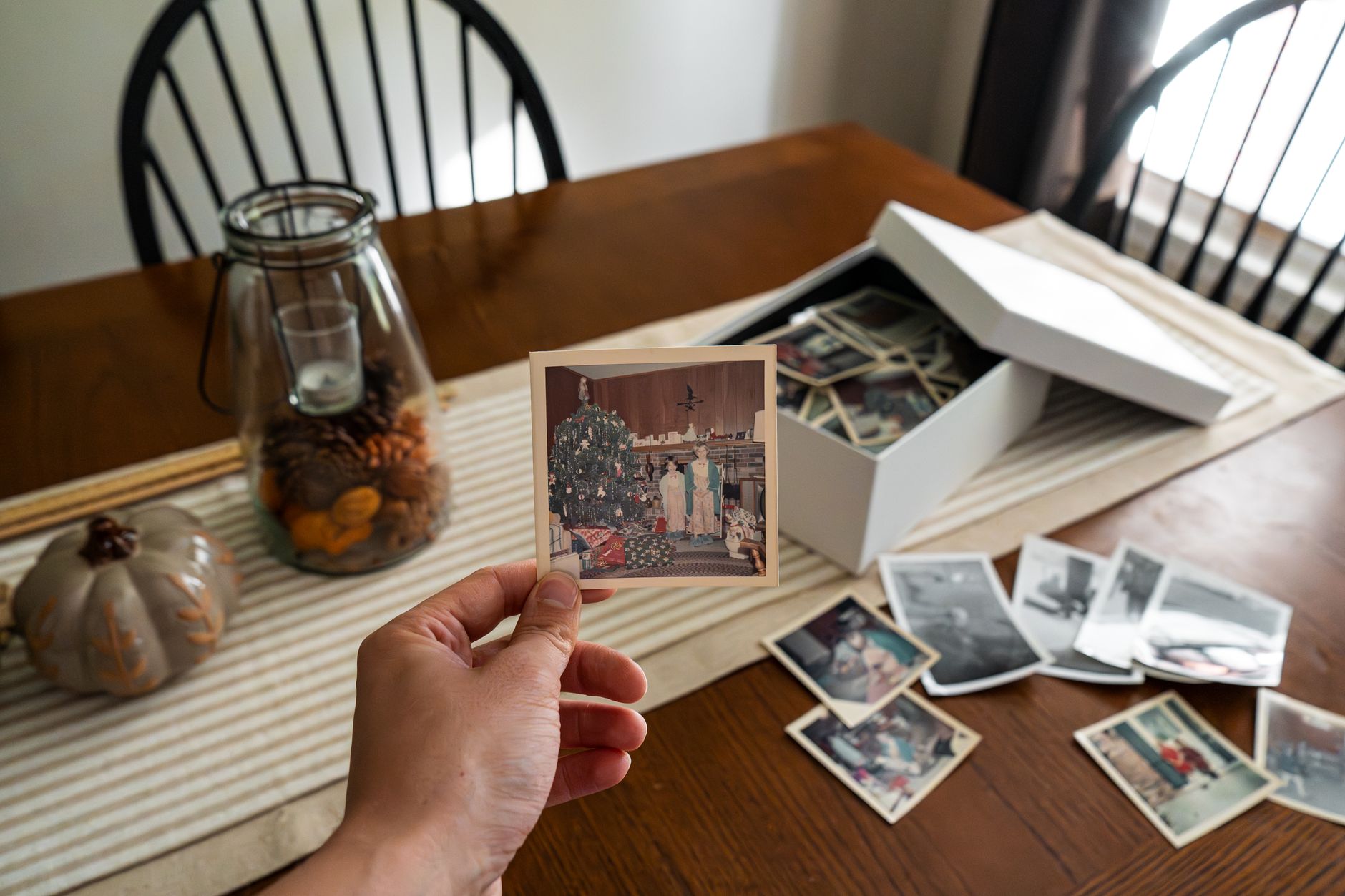
Photo: fish socks / Pexels
Why digitize family photos now, and why it's about more than storage
Mom has boxes of photos, and you'd like the pictures safe and the people in them named while she can tell you who they are. Here is the short plan: pick one afternoon, sort one box, scan with your phone, write down what Mom says about each photo as she says it, and put the scans in a shared album the family can open. Stop when she's tired. Finishing one box is a good weekend.
A short winter day indoors suits this well. If the family is getting together over the holidays, the album is something to show, but the project works any weekend.
There is a practical reason to do it. Once digitized, old photos can no longer fade, and they can be repaired and organized, as AARP's guide to digitizing photos notes. The other reason is the one that makes it worth a weekend: the names and stories live in your mom's memory, not on the back of the print.
Gather and sort: a gentle first hour
Start with one box that's easy to reach, not every box at once. Sit at a table with good light and let Mom hold the photos and set the pace. This is her history, so she decides what happens to it.
Sort into three piles as you go:
- Album: photos she wants scanned and shared.
- Just for us: photos she wants kept but not shared widely.
- Not sure yet: anything that stops the conversation. Come back to it later.
Try sorting by person or event rather than by date. It can be easier on both of you, and it keeps the hour from feeling like a chore.
If the boxes also hold letters, diaries or home movies, set those aside for another weekend. AARP's tips on preserving family memories cover those formats too; that piece is written for families after a death.
Scanning options: phone, flatbed or a local service
Pick the option that matches how many photos you have and how much time you want to spend.
- Your phone: the quickest start. Try a free scanning app or the camera, lay each print flat in good daylight, and skip the flash. Good for one box and one afternoon.
- A basic flatbed scanner: worth considering if you expect to do several boxes over many weekends and want a steady routine.
- A local scanning service: one option for hundreds of prints, or if the project is stressing your schedule more than it is helping your relationship. Ask what you get back, how long it takes and what it costs before you hand anything over.
Whatever you choose, scan the Album pile first. You can always add more later.
Labeling who, where and when as you go
Label while Mom is still holding the photo. Names are easy to lose and hard to recover later.
Keep a simple log. A notes app, a spreadsheet or a notebook all work. Give each scan a number and fill in one line per photo:
| Field | What to write |
|---|---|
| Photo # | 014 |
| Who | People left to right, with the names Mom used |
| Where | Town, house or event |
| When | Year or decade; "about" is fine |
| Story | One sentence in Mom's words |
| Who told us | Mom, date of the conversation |
A made-up example of one filled-in row: 014. Aunt Ruth (left), Mom (right). Front porch, Elm Street. Summer, about 1968 (Mom's guess). "We'd just finished painting the railings and Ruth got more on herself than the porch."
The "Who told us" column helps later, when a cousin remembers it differently. It shows where each label came from.
Questions that turn sorting into storytelling
- Who took this one?
- What was happening just before or after?
- What do you remember about what everyone was wearing, or what you were cooking?
- Who here would love to see this?
- If you could add one sentence to the back of this photo, what would it say?
Skip any question that clearly isn't landing. If a photo brings up something painful, put it in "Not sure yet" and move on.
Turning the scans into a shared album
Make one album in a shared photo service your family already uses, and invite siblings, spouses and older grandkids. Copy the Who, Where, When and Story lines into each photo's caption or description. If you're the only one nearby, the shared album is how brothers and sisters far away can join in.
Then give the album a job. A son who inherited his parents' old photos found a fun way to organize them and got younger family members involved in his Throwback Thursdays, in a story from AARP on old family photos. You could try something similar: ask each grandchild to pick a favorite and ask Grandma one question about it. For more ideas, see easy things grandkids and grandparents can do and a small role for every grandkid.
If the stories start to pile up, AARP's piece on oral family history describes how technology can bring your family's story to life in a living, evolving multimedia document.
Keep the album for photos. If you're also deciding where the family shares news about your mom, one place for family updates covers that separately.
Safe storage for the originals
Keep the prints once they're scanned. Put them together in one labeled box, with the same photo numbers on the box and in your log if you can. Store it somewhere easy to reach, not on a high shelf.
The scans give you a backup of the prints. Even if you love your printed pictures, you still need a backup in case of fire, flood or tornado, the AARP digitizing guide points out. A suggestion of our own: once the album is finished, save it in a second place too, such as a cloud account plus an external drive, and give one sibling a copy.
This article doesn't cover the details of storing prints long term, such as which boxes or sleeves to buy. Before you spend money on supplies, check handling and storage guidance from a library or archive.
Next step: this week, ask Mom which box she'd like to start with, and put one afternoon on the calendar to sort it together.
Sources used for this guide
- Digitize Your Old Paper Photos to Preserve Your Family’s History · AARP · checked Oct 18, 2026
- Preserving Photos and Memories After a Loved One's Death · AARP · checked Oct 18, 2026
- 19 Conversation Starters for Common Social Situation · AARP · checked Oct 18, 2026
- He Inherited Old Photos and Used Them to Resurrect Family History · AARP · checked Oct 18, 2026
- Create an Oral Family History by Documenting Stories and Genealogy of ... · AARP · checked Oct 18, 2026
Spotted a mistake or a source we should look at? Tell us.
What to do next

Where to get help
- AARP family caregiving · AARP
A caregiving phone line plus online and Facebook communities. You don't need to be a member.
- National Family Caregivers Month · Caregiver Action Network
November's national campaign for family caregivers.